Short answer: to sell on Blinkit, a brand registers through Blinkit's seller onboarding, shares its business and product documents, gets its catalogue approved, and then supplies stock to Blinkit's warehouses, which replenish the dark stores that deliver to customers in minutes. Once you are live, your growth depends on keeping stock available, pricing for quick-commerce margins, and using in-app ads to win the first page of search.
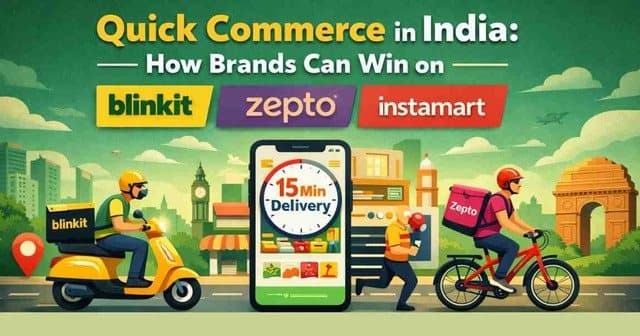
Quick commerce has changed how Indian shoppers buy everyday products. Groceries, personal care, snacks, home essentials and even electronics accessories are now bought on impulse and delivered in 10 to 15 minutes. For a growing D2C brand, Blinkit is one of the fastest ways to get in front of these high-intent urban buyers. This guide walks you through the whole process, from paperwork to your first profitable month.
Who Can Sell on Blinkit?
Blinkit works with brands and their authorised distributors rather than individual resellers. You are a good fit if you:
- Own a brand (ideally with a registered or applied-for trademark) or hold written authorisation from the brand owner.
- Sell products people buy often and want quickly: food and beverages, personal care, baby care, home care, pet supplies, stationery, small electronics and gifting.
- Can supply consistent stock to the cities you launch in and handle replenishment every week.
Bulky, slow-moving or highly seasonal products are harder to make work, because every SKU competes for limited shelf space in a dark store.
Documents You Need Before Applying
Keep these ready so onboarding does not stall:
| Document | Why it is needed |
|---|---|
| GST registration (GSTIN) | Mandatory for invoicing and tax compliance in every state you supply. |
| PAN of the business | Identity and tax verification of the selling entity. |
| Current bank account and cancelled cheque | For payouts against your invoices. |
| Trademark certificate or brand authorisation letter | Proves you have the right to sell the brand. |
| Category licences | FSSAI licence for food and beverages; relevant licences for cosmetics, ayurvedic or regulated products. |
| Barcodes (EAN/GS1) for every SKU | Dark stores scan products at every step, so each variant needs a unique barcode. |
| Product images and specifications | Front, back, ingredients/label and lifestyle images, plus MRP, weight and shelf life. |
How to Sell on Blinkit: Step by Step
- Apply as a seller or brand partner. Submit your business details through Blinkit's partner onboarding. Share your category, brand and the cities you want to serve.
- Complete verification. Upload GST, PAN, bank and brand documents. Delays usually come from mismatched business names across documents, so make sure they are identical.
- Agree commercial terms. You will agree margins or commission, payment cycle and the supply arrangement for your category. Read the terms on returns, damages and expiry carefully.
- Create your catalogue. Add every SKU with its barcode, MRP, selling price, pack size, shelf life and images. Clean, accurate data gets approved faster and ranks better.
- Send your first inbound shipment. Deliver stock to the assigned Blinkit warehouse with proper invoices, labels and packaging that can survive fast handling.
- Go live and monitor. Once stock reaches the dark stores, your products appear in the app for shoppers in those delivery zones.
How Blinkit's Supply Model Works
Unlike a classic marketplace where you ship each order yourself, Blinkit holds inventory close to the customer. Your stock goes into a central warehouse, which then feeds a network of small dark stores. When a customer orders, a nearby dark store picks and packs it in minutes.
This has one big consequence: if your product is out of stock in a dark store, it is invisible to customers in that area. Visibility on Blinkit is earned through availability first and marketing second. Plan your purchase orders around weekly sell-through, keep safety stock for weekends and festivals, and watch shelf life closely, because short-dated stock may be rejected.
Pricing and Profitability on Blinkit
Quick-commerce margins are tighter than many brands expect. Before launch, calculate your contribution margin per unit after:
- Blinkit's margin or commission for your category.
- Inbound freight to the warehouse and packaging.
- Expected damages, expiries and returns.
- Ad spend needed to rank, especially in the first 60 to 90 days.
You can model all of this in our free Blinkit profit calculator before you commit to a launch plan. Many brands use quick commerce for smaller, impulse-friendly packs and keep larger value packs for Amazon and Flipkart.
How to Rank Higher on Blinkit
1. Win the search terms shoppers actually type. Put the product type, key variant and pack size in the title, for example "Peanut Butter Crunchy 350 g" rather than only your brand name.
2. Use high-contrast, mobile-first images. Shoppers decide in a second on a small screen. Show the pack clearly on a clean background with the size visible.
3. Keep availability above 90%. Stock-outs reset your momentum. Consistent availability builds sales history, which helps organic rank.
4. Support launches with Blinkit ads. Sponsored listings and banner placements in the app help a new SKU collect its first orders and reviews. Bid on category and competitor terms, then shift budget to what converts.
5. Price for the basket. Quick-commerce shoppers add items to an existing basket. Bundles, combo packs and "add-on" price points perform well.
Common Mistakes Brands Make on Blinkit
- Launching too many SKUs at once instead of a focused set of best-sellers.
- Launching in many cities before proving demand in one or two.
- Ignoring shelf life, which leads to rejected stock and write-offs.
- Running ads while stock is low, which wastes budget on products that cannot be delivered.
- Not reconciling payouts against purchase orders, damages and returns every month.
Blinkit vs Zepto vs Swiggy Instamart
Most brands eventually list on all three quick-commerce apps, because each is strong in different cities and neighbourhoods. The playbook is similar: availability, sharp listings and in-app ads. We compare the onboarding process for the other two in our guide to selling on Zepto and Swiggy Instamart.
Want to launch on Blinkit without the trial and error? Wings2Sky handles onboarding, catalogue creation, supply planning and Blinkit ads for D2C brands. Book a free consultation and we will tell you which SKUs and cities to start with.